Thank you for your answer. Ij you look at the 2nd photo (Tha black side is upside), it is exactly what I have done, but it does not work.
If you normally flip the keypoard, the keyboard does not work to protect involuntary touch.
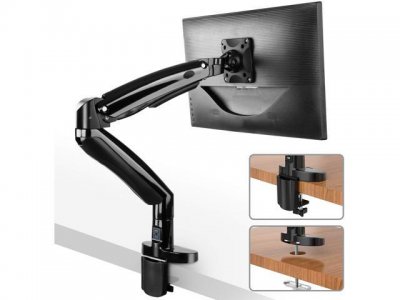
Ah, well in that case, get rid of the Monitor stand and either wall mount, or buy an arm that attaches to the edge of the desk you are at, and enjoy all the extra space you end up gaining as a result.
Ah, well in that case, get rid of the Monitor stand and either wall mount, or buy an arm that attaches to the edge of the desk you are at, and enjoy all the extra space you end up gaining as a result.
Update: Just learned today that there is a bluetooth attachment that attaches itself on top of the connector on the keyboard that turns the Surface Keyboard into a bluetooth keyboard. Then you can put the surface anywhere else and save all the space.