What's new

Favorites Missing

dmorrison672

New Member
Joined
Nov 15, 2012
Messages
9
Points
0
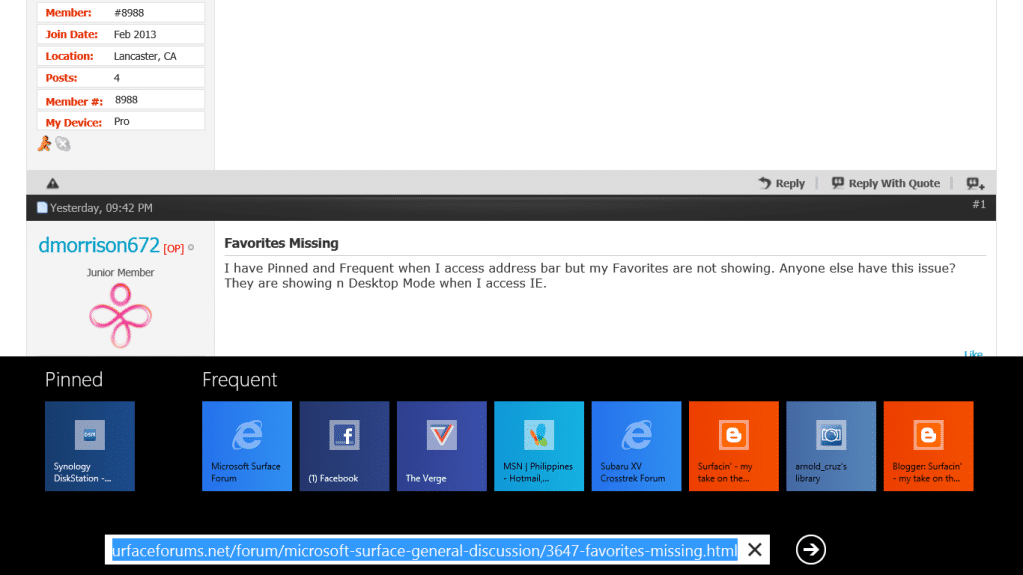
I have Pinned and Frequent when I access address bar but my Favorites are not showing. Anyone else have this issue?
They are showing n Desktop Mode when I access IE.
 
I saw the same thing, just tap the address bar and start scrolling/swiping to the left. My favorites were all the way on the right.
 
Thanks- I have tried that and have used the favorites frequently in this manner. Starting yesterday, that area just doesn't show anymore. I can scroll through pinned and Frequent and then nothing.
 
Charms Bar > Settings > Change PC settings > Sync your settings > Settings to Sync > Browser > Settings and info like history and favorites (ON)
 
Bottom swipe, touch address bar and you get-

Screenshot137_zpsf77dc2d1.png


If that doesn't work, from Start, type Windows features, uncheck Internet Explorer, reboot. Upon reboot, check Internet Explorer.

Let us know if it works for you.
 
Bottom swipe, touch address bar and you get-

Screenshot137_zpsf77dc2d1.png


If that doesn't work, from Start, type Windows features, uncheck Internet Explorer, reboot. Upon reboot, check Internet Explorer.

Let us know if it works for you.

Nope. That didn't do it. Yesterday I did do a trust this pc. I think maybe my account hasn't synced yet?
 
Nope. That didn't do it. Yesterday I did do a trust this pc. I think maybe my account hasn't synced yet?
If all your Windows Live accounts are setup correctly they will sync within five minutes of booting.
 
Did refresh. Added a favorite and they all showed up again. Thanks everyone for the input.
 
Back
Top