malberttoo
Well-Known Member
I did a quick search and didn't see this posted anywhere else.
I finally started using my SP3 a couple days ago for work stuff (network management, IT stuff...), and right away was not happy with trying to RDP into another machine or server.
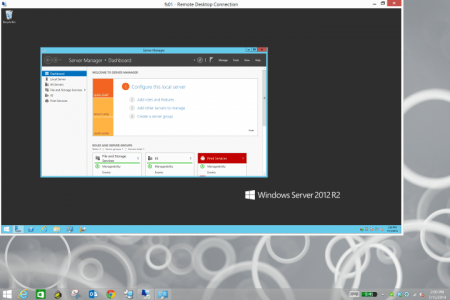
Long story short, because the resolution on the SP3 is so high, it would make the remote desktop brutally tiny. Very difficult and uncomfortable to use. Anyways, changing the resolution settings in the actual RDP client doesn't help, because all that does is change the size of the RDP window, but not the scale of the desktop itself.
So I found this after a quick Google search, and it works great. It resizes the RDP desktop to something you can see much better. I have no idea how it does it, but "it just works". And, it's an awesome little utility if you frequently have to RDP into other machines!
Hope it helps someone!
Microsoft Remote Desktop Connection Manager
http://www.microsoft.com/en-us/download/details.aspx?id=21101
I finally started using my SP3 a couple days ago for work stuff (network management, IT stuff...), and right away was not happy with trying to RDP into another machine or server.
Long story short, because the resolution on the SP3 is so high, it would make the remote desktop brutally tiny. Very difficult and uncomfortable to use. Anyways, changing the resolution settings in the actual RDP client doesn't help, because all that does is change the size of the RDP window, but not the scale of the desktop itself.
So I found this after a quick Google search, and it works great. It resizes the RDP desktop to something you can see much better. I have no idea how it does it, but "it just works". And, it's an awesome little utility if you frequently have to RDP into other machines!
Hope it helps someone!
Microsoft Remote Desktop Connection Manager
http://www.microsoft.com/en-us/download/details.aspx?id=21101