

If you haven't heard of GodMode, then today is your lucky day.
Add GodMode to your Surface (or any Windows 7 or Windows 8.X installation) to put a menu of hardware, software, and administration settings at your fingertips.
Here's how to do it: Click Add GodMode
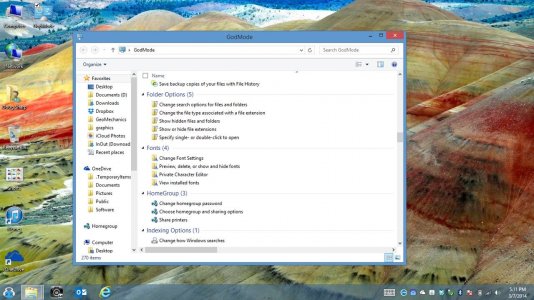
You can right-click on any of these items to create a shortcut on your desktop, if there is a function you find useful often (such as Bluetooth access, Pen our Touch functions, or sound options).
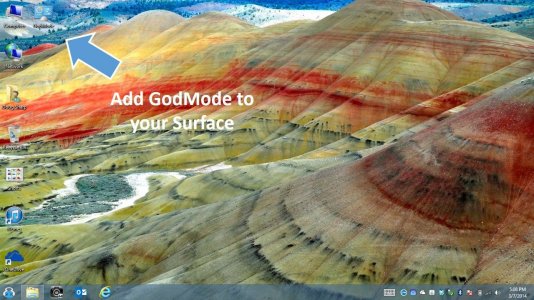
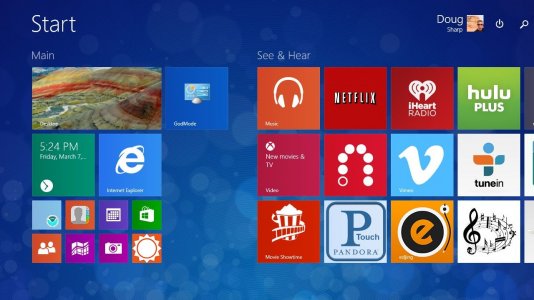
And here is my desktop with GodMode highlighted, so you see what to expect. By the way, I did the 8.1 upgrade, and everything works. Apps did not have to be re-downloaded, and all settings are good. I'v also included a pic of GodMode running, and also one of my Start screen (Metro or Modern).
Note the handy "Power" always-ready charm on the Start screen with Windows 8.1 .
Enjoy!
Here is one entry on the Pen and Touch menu of GodMode:

Add GodMode to your Surface (or any Windows 7 or Windows 8.X installation) to put a menu of hardware, software, and administration settings at your fingertips.
Here's how to do it: Click Add GodMode
You can right-click on any of these items to create a shortcut on your desktop, if there is a function you find useful often (such as Bluetooth access, Pen our Touch functions, or sound options).
And here is my desktop with GodMode highlighted, so you see what to expect. By the way, I did the 8.1 upgrade, and everything works. Apps did not have to be re-downloaded, and all settings are good. I'v also included a pic of GodMode running, and also one of my Start screen (Metro or Modern).
Note the handy "Power" always-ready charm on the Start screen with Windows 8.1 .
Enjoy!
Here is one entry on the Pen and Touch menu of GodMode:
Last edited:


