What's new

More Tiles On My Screen - Not Sure How It Happened But I Like It

sharpuser

Administrator
Staff member
Joined
Aug 20, 2013
Messages
4,477
Points
113
Location
Eastern USA
My Device
SurfaceBook2
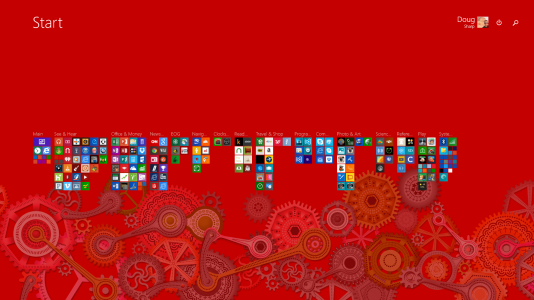
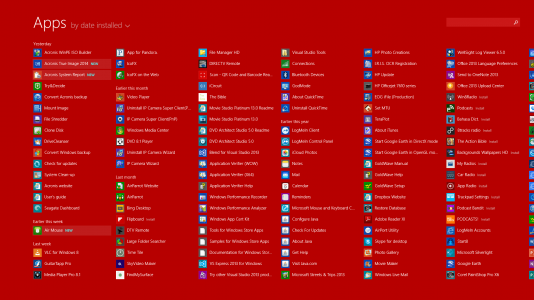
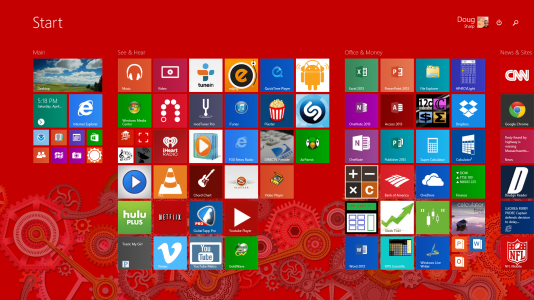
So this morning I started up my Surface Pro 2 and found more tiles fitting on my screen than I've seen before. I don't know how this happened, but I like it.
It could be that a sync with a Mac running Windows 8.1 with Parallels made the change.

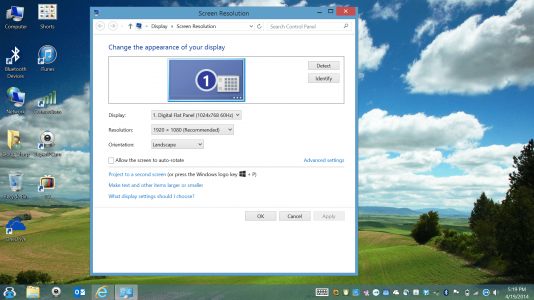
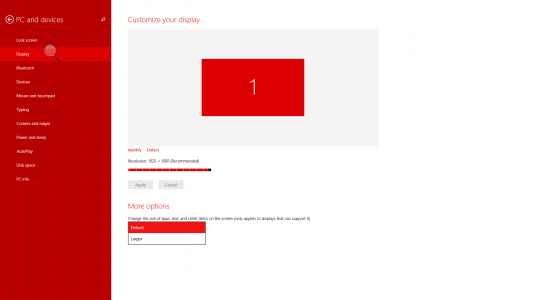
Anyway, here are some screen shots, and also the resolution settings.
Screenshot (92).png

Screenshot (93).png

Screenshot (94).png

Screenshot (95).png
 
Last edited:
on the start screen, bring up settings and click tiles, you'll see an option to show more tiles

tiles.PNG
 
on the start screen, bring up settings and click tiles, you'll see an option to show more tiles

I am very aware of that setting. But "Show more tiles on the Start screen" has merely meant "Show 4 high instead of 3 high" until today, with 6.
 
Funny you can't do that on the S2... wonder why?
 
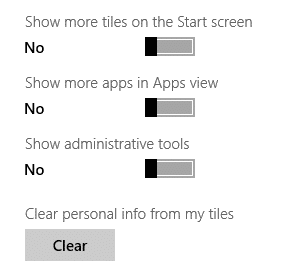
Thanks, CreativeLemming, but here is a screenshot of that setting dialogue on my SP2: Only "Larger" or "Default".
Good thing I like it! :)

Screenshot (97).png
Screenshot (99).png
 
Last edited:
sharpcolorado, it is exactly like the_new_normal.
You probably connected the Surface pro 2 to an external display, and Windows got confused.
On my desktop, I have the same option as you: Default and Larger.

Since day 1, I have it like what you have.

(screenshot before update 1)
surf1.png

surf2.png
 
Last edited:
sharpcolorado, it is exactly like the_new_normal.
You probably connected the Surface pro 2 to an external display...

I didn't connect to an external display, but I did run Windows 8.1 (with my Microsoft account) on a Mac via Parallels. Windows syncing with these settings results in 6-high tiles. I am keeping it this way.
 
Last edited:
Take it that it still keeps even after a reboot? Personally I don't like it, very messy! But as long as you're happy... bonus :)
 
Back
Top