
Hello All,
So I was just about to create a full system image of one of my HDD's, and I noticed that I have 2 different "system" drives.
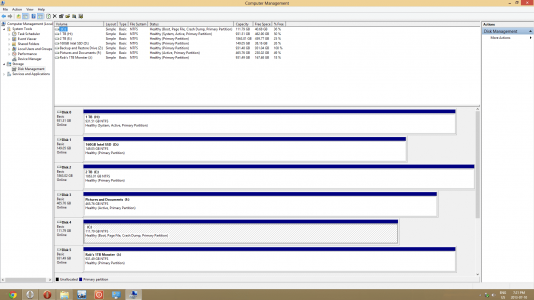
My main system drive is the C: Drive, which is the 111.79gig HDD. Im not really sure why the 1TB drive is listed as a system drive, as well as being drive 0. Is there any easy way to fix this so everything to do with the system is back on the 111.79gig C: drive where it belongs? Any help or direction would be greatly appreciated.
I want to add that I do not have any other OS's installed on any HDD's, and I am only running the 1 Windows 8 Pro
So I was just about to create a full system image of one of my HDD's, and I noticed that I have 2 different "system" drives.
My main system drive is the C: Drive, which is the 111.79gig HDD. Im not really sure why the 1TB drive is listed as a system drive, as well as being drive 0. Is there any easy way to fix this so everything to do with the system is back on the 111.79gig C: drive where it belongs? Any help or direction would be greatly appreciated.
I want to add that I do not have any other OS's installed on any HDD's, and I am only running the 1 Windows 8 Pro
Last edited:


