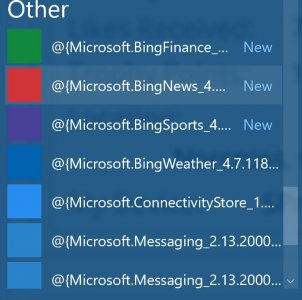
Sorry if this was already brought up, I did a search but couldn't find anything.
If I leave my desktop running for a while the Start Menu and Action Center buttons stop working. I can't open them with the Windows key on my keyboard or right clicking the Action Center icon. Been right clicking on the Star Menu to restart the computer, to get them working again but this is becoming very annoying. Not happening on my SP3 or my wife's S3.
Trying to avoid doing a reinstall. The computer is the network hub for every device in the house and would have to a lot of work to get everything set up again, nothing hard just very time consuming.
If I leave my desktop running for a while the Start Menu and Action Center buttons stop working. I can't open them with the Windows key on my keyboard or right clicking the Action Center icon. Been right clicking on the Star Menu to restart the computer, to get them working again but this is becoming very annoying. Not happening on my SP3 or my wife's S3.
Trying to avoid doing a reinstall. The computer is the network hub for every device in the house and would have to a lot of work to get everything set up again, nothing hard just very time consuming.